


You are staring at a fine layer of gray dust coating your mechanical keyboard, and a stray potato chip crumb is wedged firmly between the 'J' and 'K' keys. It feels like a small mountain range of debris.
A quick blast of air or a focused suction tool saves you from the tedious task of popping off every keycap by hand. Finding the best computer vacuum cleaners is about reclaiming your workspace from the inevitable buildup of office grit. Keep reading to find the right tool for your desk.
Key Takeaways
- Prioritize models that offer both vacuum suction and an air blower function for maximum versatility.
- Check the motor speed in RPM if you prioritize dusting power for clearing dense heat sinks and fans.
- Consider cordless designs if you frequently clean your car or hard-to-reach areas away from a power outlet.
- Look for rechargeable USB-C batteries to avoid the constant expense and waste of disposable canned air.
- Assess the attachment kit to ensure you have narrow nozzles for tight keyboard gaps and brush heads for screens.
| Best Daily Essential | 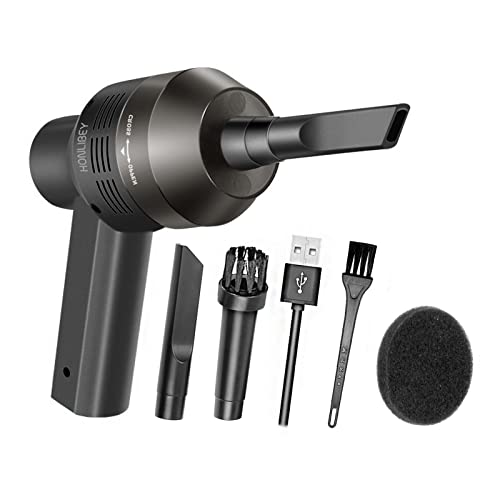 |
Honlibey Cordless Mini Computer Vacuum | Extremely portable build | Simple cordless operation | Ideal for small crumbs | View on Amazon | Read Review |
| Superior Dual Power |  |
Meudeen 14500Pa Cordless Vacuum Duster | High rotational speed | Powerful suction capability | Dual function design | View on Amazon | Read Review |
| Simple Keyboard Specialist | 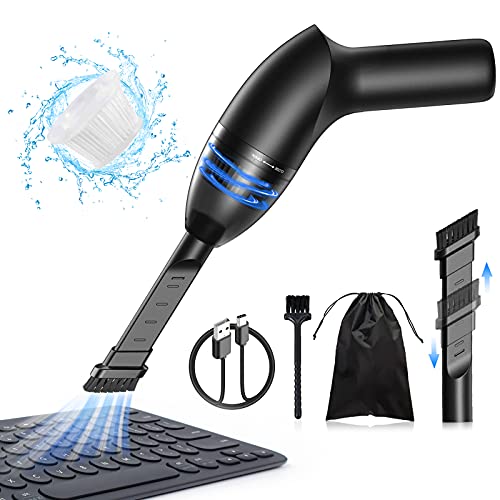 |
Hayousui 4.3Kpa Handheld Keyboard Vacuum | Focused suction power | Sleek handheld frame | Quiet during operation | View on Amazon | Read Review |
| Professional Grade Reliability |  |
Metrovac DataVac Pro Series Vacuum | Durable metal construction | Strong, consistent suction | Made in the USA | View on Amazon | Read Review |
| Versatile Multi Tool |  |
KMM Handheld Car Vacuum Duster | Highly versatile utility | Easy to maneuver | Quick debris removal | View on Amazon | Read Review |
| Ultimate Tech Sanitizer | 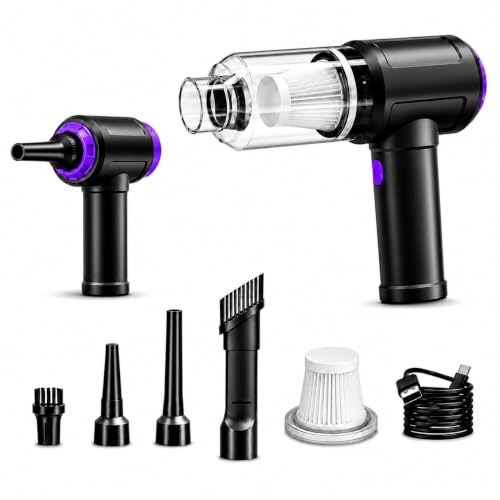 |
3-in-1 Keyboard Vacuum Duster | Triple cleaning modes | Strong suction force | High RPM blowing | View on Amazon | Read Review |
| Precision Air Delivery |  |
Meudeen Air-01 High Speed Duster | Consistent air pressure | Rapid motor speed | Eco-friendly design | View on Amazon | Read Review |
More Details on Our Top Picks
-
Honlibey Cordless Mini Computer Vacuum
If you want a compact helper for your desk, this is your go-to. It clears out pesky crumbs and eraser shavings that hide between your keys without needing to drag out a heavy floor vacuum.
The cordless design gives you the freedom to reach into tight corners without worrying about a tether. Just keep in mind that the suction strength is intended for light debris rather than deep, heavy-duty cleaning.
- Brand Name:Honlibey
- Device Type:Mini handheld vacuum
- Functionality:Vacuuming dust and crumbs
- Additional Feature:Lightweight handheld design
- Additional Feature:Rechargeable internal battery
- Additional Feature:Compact storage profile
-
Meudeen 14500Pa Cordless Vacuum Duster
Think of this as the heavy lifter for your hardware maintenance. With a massive 110,000 RPM motor, it provides enough force to dislodge stubborn dust bunnies that have lived in your PC tower for years.
The 14,500 Pa suction is genuinely impressive for a device of this size. Because it combines both blowing and vacuuming, you can clear a keyboard and then suck up the debris in one session.
- Brand Name:Meudeen
- Device Type:Vacuum and air duster
- Motor Power:110,000 RPM
- Functionality:Blowing and vacuuming
- Additional Feature:Energy efficient motor
- Additional Feature:Cordless portability
- Additional Feature:Replaceable canned air alternative
-
Hayousui 4.3Kpa Handheld Keyboard Vacuum
You need something reliable for your workspace, and this unit delivers focused performance. It acts like a miniature broom for your tech, keeping your keyboard clear of the small particles that accumulate throughout the work week.
It is small enough to tuck away in a desk drawer when you are done. The 4.3 Kpa suction is perfect for routine maintenance, though you should avoid using it on large spills.
- Brand Name:Hayousui
- Device Type:Mini handheld vacuum
- Motor Power:4.3 Kpa
- Additional Feature:Compact storage size
- Additional Feature:USB charging port
- Additional Feature:Ergonomic grip
-
Metrovac DataVac Pro Series Vacuum
If you are tired of weak plastic gadgets, this is the steel-bodied powerhouse you want on your workbench. It is built to last, providing industrial-level airflow that makes short work of office dust and debris.
This is a corded machine, which means you get consistent performance without worrying about battery drain. It is definitely more substantial than the others, but the trade-off is professional results.
- Brand Name:Metrovac
- Device Type:Electric data vacuum
- Functionality:Vacuum and blower
- Included Accessories:Multiple attachment nozzles
- Additional Feature:High output motor
- Additional Feature:Sturdy steel housing
- Additional Feature:Integrated power cord
-
KMM Handheld Car Vacuum Duster
This tool is a utility player that transitions perfectly from the car to the office. It offers enough versatility to handle a variety of cleaning tasks, from your dashboard crevices to your computer desk.
The dual-action nature of this device saves you from carrying two separate tools. While it performs well on diverse surfaces, keep your expectations in check regarding the battery life during extended cleaning marathons.
- Brand Name:KMM
- Device Type:Handheld vacuum and duster
- Functionality:Suction and blowing
- Additional Feature:Lightweight chassis
- Additional Feature:Multi surface cleaning
- Additional Feature:Rechargeable battery system
-
3-in-1 Keyboard Vacuum Duster
This is the Swiss Army knife of desk cleaning equipment. By offering a 3-in-1 design, it allows you to blow, suck, and sweep debris away from delicate components that are otherwise hard to reach.
The high 14.5 Kpa suction ensures that you do not just move the dust around, but actually remove it. It is an excellent choice for anyone who maintains a PC tower or multiple pieces of electronics.
- Brand Name:Generic
- Device Type:3-in-1 vacuum duster
- Motor Power:14.5 Kpa / 110,000 RPM
- Functionality:Vacuum, blower, brush
- Additional Feature:USB charging capability
- Additional Feature:Portable frame design
- Additional Feature:Multiple nozzle attachments
-
Meudeen Air-01 High Speed Duster
When you need to blast away dust from sensitive circuit boards, this duster is your best friend. It delivers a focused stream of air that replicates the effect of expensive canned air without the ongoing cost or chemical waste.
The 110,000 RPM motor provides the raw force necessary for deep cleaning. It is compact, simple to operate, and acts as a permanent solution for keeping your tech free of dust buildup.
- Brand Name:Meudeen
- Device Type:Electric air duster
- Motor Power:110,000 RPM
- Functionality:Air blowing and vacuuming
- Additional Feature:Cordless handheld operation
- Additional Feature:Rechargeable power source
- Additional Feature:Ergonomic nozzle design
Frequently Asked Questions
Can I use a standard household vacuum on my computer?
You really should avoid using a full-sized floor vacuum because they generate far too much static electricity. These units are built to pick up heavy debris, and their high-velocity airflow can accidentally rip off small internal cables or components. Stick to a smaller, handheld device specifically designed for electronics to keep your hardware safe.
Should I use the blower or suction function first?
Always start with the suction function to remove as much loose dust and hair as possible from the surface. Once you have cleared the bulk of the debris, you can use the blower setting to gently nudge dust out of deeper crevices like heatsinks or fan blades. Using suction first prevents you from just blowing a giant cloud of dust into your own face.
How often should I clean my computer components?
If you work in a dusty office or have pets, a quick once-over every two weeks is a smart habit. For a cleaner environment, a monthly maintenance session is usually enough to keep your fans from clogging and your keyboard feeling fresh. Consistency is the real key to preventing dust buildup from causing your computer to overheat.
Will the vacuum damage my mechanical keyboard?
As long as you use the soft brush attachment and maintain a light touch, your switches will be perfectly fine. Just make sure you are not pressing the nozzle hard against the keycaps, which could snap the delicate stems underneath. If you are worried, you can always remove the keycaps first for a deep clean that is much more thorough.
Does the vacuum need special maintenance?
You must empty the dust canister after every use to maintain consistent airflow and suction power. Every few months, you should wash or replace the HEPA filter according to the manufacturer instructions to keep the exhaust clean. Treat the device well, and it will keep your workspace tidy for years.
